
SteamOS vs. Windows 11 on Handheld PCs: Why Linux Dominates at Low TDP
Benchmarking Valve's custom Arch Linux stack against Windows 11 on portable gaming handhelds: analyzing power scaling, frame pacing, and battery longevity at 7W–15W TDPs.
Table of Contents (6 sections)›
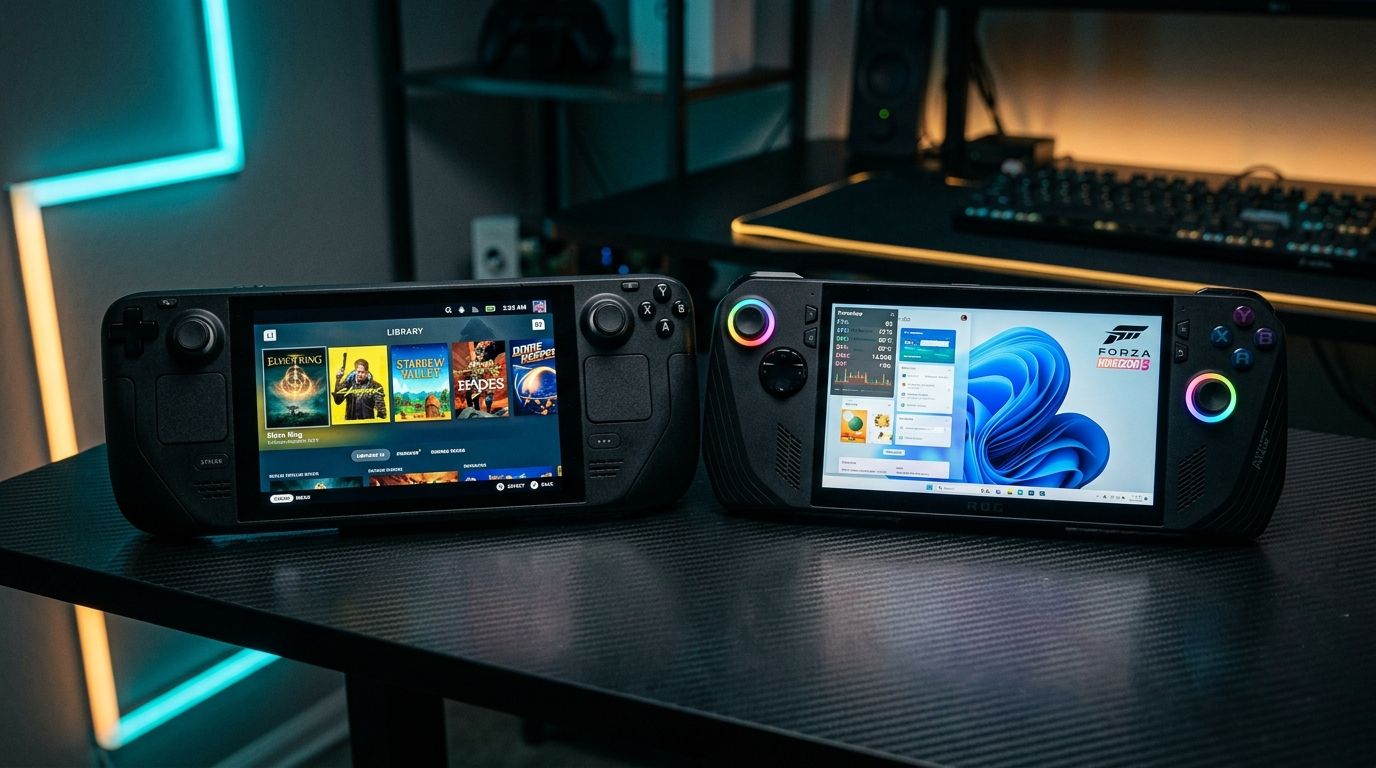
The PC gaming handheld revolution has created a fascinating operating system showdown. On one side stands Valve's custom Arch Linux-based SteamOS (powering the Steam Deck); on the other sits Windows 11 Home (powering the ASUS ROG Ally, Lenovo Legion Go, and MSI Claw). While Windows 11 boasts universal anti-cheat and PC Game Pass compatibility, comprehensive benchmark testing reveals that SteamOS consistently delivers superior frame pacing and battery longevity in battery-constrained environments.
1. The 7W–15W TDP Efficiency Disparity
In a handheld gaming device, electrical efficiency is everything. When operating on battery power, users typically cap the APU power budget between 7W and 15W to extend playtime beyond 90 minutes. It is within this ultra-low envelope that the underlying operating system architecture becomes decisive.
- Linux Kernel Thread Scheduler: Valve's custom Linux kernel minimizes idle background thread overhead. System background processes typically consume less than 1% of CPU cycles and negligible RAM, allowing virtually 100% of the constrained electrical budget to be dedicated to the game process and GPU compute units.
- Windows 11 Background Overhead: Windows 11 runs dozens of essential background services (telemetry, indexing, Windows Defender, OneDrive, and peripheral daemons). At 25W plugged into a wall, this overhead is negligible; at an 8W battery limit, these background CPU wakeups steal crucial milliwatts from the graphics pipeline, resulting in frametime spikes and stutter.
2. Benchmark Data: Power Scaling Across Outlets
Independent testing conducted by hardware outlets (including Digital Foundry, The Phawx, and Retro Game Corps) highlights clear trends across identical APU silicon:
- At 9W TDP: SteamOS achieves 15% to 25% higher average framerates and vastly smoother 1% low frame delivery in titles like Cyberpunk 2077 and Shadow of the Tomb Raider compared to Windows 11.
- At 15W TDP: The performance gap narrows to within 5% to 8%, with both operating systems delivering playable 720p/800p experiences.
- At 25W–30W (Plugged In): Windows 11 matches or slightly exceeds SteamOS in raw peak framerates due to mature direct DirectX 12 driver optimizations from AMD and Intel.
3. Unified Memory Management vs. Static VRAM Partitioning
Memory architecture is another critical technical differentiator on handhelds with shared LPDDR5 memory:
- SteamOS Dynamic Allocation: Under SteamOS, the Linux graphics driver dynamically scales video memory allocation between 512MB and 12GB on the fly based on engine demand, preventing system out-of-memory errors.
- Windows 11 Static Allocation: Windows handhelds require users to enter the motherboard BIOS and manually allocate a static VRAM buffer (e.g. 4GB, 6GB, or 8GB). Allocate too little, and games crash due to VRAM overflow; allocate too much, and Windows runs out of system RAM for background tasks.
4. System Sleep, Resume, and the Proton Translation Layer
Beyond raw frames, the user experience gap is defined by suspend-and-resume functionality. Valve's deep integration between hardware firmware and the Linux kernel enables instantaneous, flawless sleep/resume during active gameplay—a console-grade convenience that Windows Modern Standby still struggles to reliably achieve.
Furthermore, Valve's Proton compatibility layer (translating DirectX calls to Vulkan in real time) frequently smooths out shader compilation hitching through pre-cached community shader sets.
5. Buyer's Verdict: Choosing the Right Handheld OS
- Choose SteamOS / Bazzite: If your primary goal is portable indie/AAA gaming on battery power, flawless sleep/resume, and seamless UI navigation without touching a touchscreen desktop.
- Choose Windows 11: If your gaming library revolves around kernel-level anti-cheat titles (Call of Duty: Warzone, Fortnite, Valorant) or native PC Game Pass subscriptions unavailable on Linux.
Gamescope Compositor and Display Refresh Rate Flexibility
One of SteamOS's hidden engineering superpowers is its custom Wayland compositor, Gamescope.
- Arbitrary Refresh Rate Locking: Gamescope allows users to lock display refresh rates to exact fractions (such as 40Hz, 45Hz, or 50Hz) with a single hardware slider. Running at 40Hz delivers a dramatic 33% increase in frametime budget over 60Hz while feeling vastly smoother than 30 FPS, drastically extending battery life.
- System-Level Integer Scaling: Gamescope executes integer scaling and FSR upscaling directly in the display pipeline, allowing retro pixel art games and 720p 3D titles to render with zero input lag or blur.