
LG UltraGear 27G61ZB-B: 1440p High-Refresh Buyer’s Guide & Spec Analysis
An architectural buyer's guide analyzing the LG UltraGear 27G61ZB-B: evaluating Fast IPS panel characteristics, color gamut coverage, and competitive positioning in the budget 1440p bracket.
Table of Contents (7 sections)›
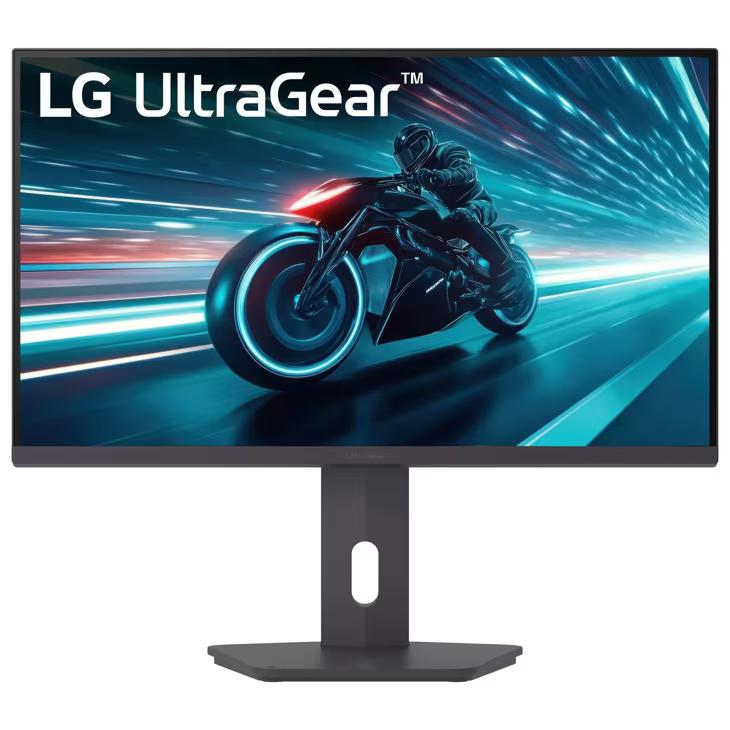
The 27-inch 1440p high-refresh-rate monitor remains the undisputed visual and economic sweet spot for modern PC gamers. Offering sharp 108 PPI pixel density and high responsiveness without demanding the four-figure hardware investment of 4K gaming, competition in the $200–$250 category is intense. LG's UltraGear 27G61ZB-B represents one of the brand's targeted entries into this budget enthusiast tier.
In this buyer's guide, we break down the published panel specifications, pixel response capabilities, pixel overdrive tuning, and competitive alternatives to help you determine if this display fits your gaming setup.
1. Panel Architecture: Fast IPS Capabilities
The core asset of the 27G61ZB-B is its Fast IPS (In-Plane Switching) liquid crystal panel:
- Color Fidelity & Viewing Angles: IPS technology delivers broad 178-degree horizontal and vertical viewing angles with consistent color saturation, covering 99% of the standard sRGB color space.
- Motion Clarity vs. VA Panels: Unlike budget VA (Vertical Alignment) monitors in this price tier that frequently suffer from dark-level smearing in fast-paced shooters, Fast IPS liquid crystal molecules transition rapidly between grey-to-grey states, minimizing ghosting trails behind fast-moving enemies.
- Contrast Ratio Limitations: Like all standard edge-lit IPS panels, native static contrast is limited to approximately 1000:1. In dark rooms, deep blacks appear as dark charcoal grey—a fundamental characteristic of IPS panels without full-array local dimming.
2. Pixel Response Time Tuning & Overdrive Artifacts
Manufacturers frequently advertise '1ms response times' across gaming displays. However, achieving that metric in the real world requires aggressive overdrive voltage tuning:
- The 'Faster' Setting Warning: On budget UltraGear displays, setting Response Time to 'Faster' applies excessive voltage to the liquid crystal cells. While this shortens initial transition times, it introduces noticeable inverse ghosting (pixel overshoot coronas) that appear as glowing halos around moving objects.
- The Recommended 'Fast' Setting: Setting the monitor's response time to 'Fast' delivers the optimal compromise, providing clean motion clarity at 180Hz with minimal pixel overshoot.
3. Refresh Rate & Variable Refresh Rate (VRR) Ecosystem
Running at a native 180Hz refresh rate, the monitor provides significant fluidity gains over standard 60Hz and 120Hz displays. Crucially, the display includes certified support for AMD FreeSync Premium and compatibility with Nvidia G-Sync via VESA Adaptive-Sync protocols. This eliminates screen tearing and micro-stuttering when your framerates fluctuate during demanding combat scenes.
4. Port Bandwidth and HDR Reality
The 27G61ZB-B includes DisplayPort 1.4 and dual HDMI 2.0 ports. To achieve full 180Hz at native 2560x1440 with uncompressed 10-bit color, users must connect via DisplayPort 1.4. While the monitor accepts an HDR10 input signal, peak brightness is capped around 300 to 350 nits with no local dimming zones. Treat HDR on this tier as a compatibility feature rather than a true high-dynamic-range display experience.
5. Competitive Landscape: How Does It Compare?
- ASUS TUF Gaming VG27AQ3A: Matches the 180Hz Fast IPS spec with slightly more aggressive onboard overdrive tuning and built-in speakers.
- Dell G2724D: Frequently recognized as a benchmark in this price bracket, offering an ergonomic height-adjustable stand, which budget UltraGear models often omit in favor of tilt-only brackets.
6. The Verdict: Who Should Buy the 27G61ZB-B?
If you already own an ergonomic monitor arm (using the standard 100x100mm VESA mount on the back) and prioritize brand-backed Fast IPS color accuracy and 180Hz responsiveness under $220, the LG UltraGear 27G61ZB-B is a solid, reliable contender for esports and general PC gaming.
DisplayPort Cable Certification and High-Refresh Stability
To maintain a flicker-free 180Hz connection at 2560x1440, cable quality is paramount. Using uncertified or low-grade DisplayPort cables frequently leads to black screen dropouts during G-Sync / FreeSync transitions.
- VESA Certified DisplayPort 1.4 HBR3: Always utilize a VESA-certified DP8K cable supporting High Bit Rate 3 (HBR3) bandwidth (32.4 Gbps). This guarantees sufficient headroom for 10-bit color, HDR metadata, and 180Hz refresh rates without signal integrity degradation.
- Color Calibration Profiles: Out of the box, setting the monitor's color temperature to 'Warm' and gamma mode to 'Mode 2' aligns the display closest to the international 6500K color standard.