
Ryzen 7 7800X3D in 2026: Gaming Performance, 9800X3D Comparisons & Value Guide
Evaluating AMD's legendary Ryzen 7 7800X3D in the 2026 gaming landscape: analyzing 3D V-Cache efficiency, how it compares to the newer Ryzen 7 9800X3D, and AM5 platform longevity.
Table of Contents (6 sections)›
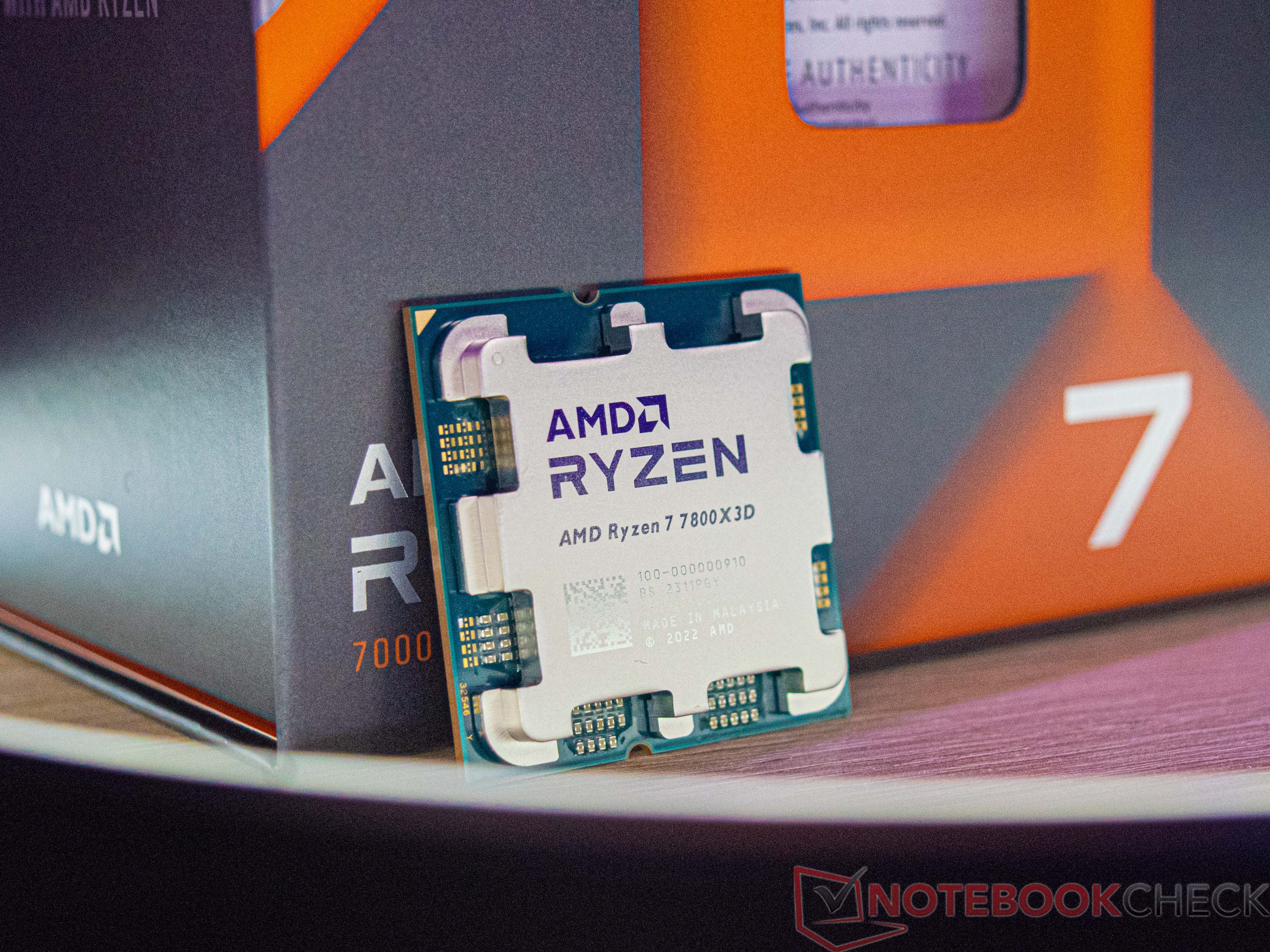
When AMD launched the Ryzen 7 7800X3D, it redefined dedicated gaming performance. By stacking 64MB of ultra-fast SRAM directly atop an 8-core Zen 4 compute die—yielding a massive 96MB of total L3 cache—AMD created a processor that outperformed flagship chips drawing more than double its power. In 2026, with the arrival of the Zen 5-based Ryzen 7 9800X3D, how does the 7800X3D hold up, and is it still the smarter buy?
1. The 3D V-Cache Advantage: Shielding the Render Pipeline
Traditional desktop processors rely on high clock speeds to push computational throughput. However, modern game engines are fundamentally memory-latency bound: the CPU render thread spends enormous cycles waiting for frame data, draw calls, and physics tables to fetch from system RAM across the memory controller.
AMD's 3D V-Cache solves this by keeping the entire working dataset of the game engine directly on-die:
- Eliminating Memory Stalls: Cache hit rates exceed 85% in cache-hungry titles like Assetto Corsa Competizione, Microsoft Flight Simulator, and Baldur's Gate 3.
- Unmatched 1% Low Stability: While high-clocked Intel chips can occasionally match average framerates, the 7800X3D delivers vastly smoother 1% low frame pacing, completely eliminating stutter during intense combat scenes.
2. 7800X3D vs. Ryzen 7 9800X3D (Zen 5): What Changed?
- Architectural Inversion: The Ryzen 7 9800X3D inverts the packaging: the 3D V-Cache die sits underneath the Core Complex Die (CCD) rather than on top. This allows the hot silicon cores to directly contact the Integrated Heat Spreader (IHS), unlocking higher clock speeds and full multiplier overclocking.
- Clock Speed Differences: The 9800X3D reaches 5.2GHz+ all-core boosts, delivering an 8% to 12% lead in CPU-limited esports titles at 1080p.
- The Value Equation: At 1440p and 4K resolutions, where graphics cards dictate over 90% of frametime, the real-world performance difference between the 7800X3D and 9800X3D is often under 5%, making a discounted 7800X3D an extraordinary value for AM5 builders.
3. Memory Tuning & Undervolting Guidelines
Maximizing performance on the 7800X3D requires specific platform configurations:
- DDR5-6000 CL30 Sweet Spot: Always configure your memory in 1:1 UCLK:MCLK mode. Memory kits beyond 6000 MT/s force a 1:2 divider that increases latency and reduces 1% low framerates.
- Curve Optimizer (-20mV to -30mV): Applying a negative Curve Optimizer offset in motherboard BIOS reduces operating voltages, lowers temperatures by 5°C to 8°C, and allows the chip to sustain its maximum 5.05GHz boost clock continuously.
- Cooling Demands: Because gaming power draw rarely exceeds 85W, an affordable dual-tower air cooler (like the Thermalright Phantom Spirit 120) easily tames the 7800X3D, saving builders $100+ compared to 360mm liquid AIO coolers.
4. Power Profiles and PSU Sizing
Unlike competing flagship processors that consume 250W to 300W under load, the 7800X3D operates with an astonishingly frugal 65W–85W gaming draw.
Use our interactive Transient Power & PSU Sizer to calculate your total system wattage and match your 7800X3D and GPU pairing with a high-efficiency power supply.
5. Platform Longevity: The AM5 Advantage
Investing in the 7800X3D means building on AMD's socket AM5 platform. Unlike dead-end platforms, AM5 guarantees forward compatibility through 2027+, ensuring that gamers can perform drop-in CPU upgrades in future years without replacing their motherboard or DDR5 memory kit.
BIOS Settings and Motherboard Chipset Selection (B650 vs. X670 / X870)
For builders selecting an AM5 motherboard for the 7800X3D, spending excessive money on high-end X670E or X870E motherboards yields zero gaming performance benefits over a quality B650 motherboard.
- PCIe Gen 5 GPU Support Realities: Current gaming graphics cards do not saturate PCIe 4.0 x16 bandwidth. A B650 motherboard with PCIe 4.0 delivers 100% of the graphics card performance of an expensive PCIe 5.0 board.
- Essential BIOS Tweaks: Enable EXPO (Extended Profiles for Overclocking) for your DDR5 memory kit, set Memory Context Restore to 'Enabled' to achieve 12-second boot times, and verify that Precision Boost Overdrive (PBO) is set to 'Advanced' with a negative Curve Optimizer offset.