
AMD Ryzen 7 9800X3D & 7800X3D Power Supply Sizing: Balancing Peak MTP with GPU Headroom
Analyzing the real-world electrical demands of AMD's 3D V-Cache processors: comparing gaming load vs. all-core synthesis, motherboard VRM delivery, and total system power planning.
Table of Contents (5 sections)›
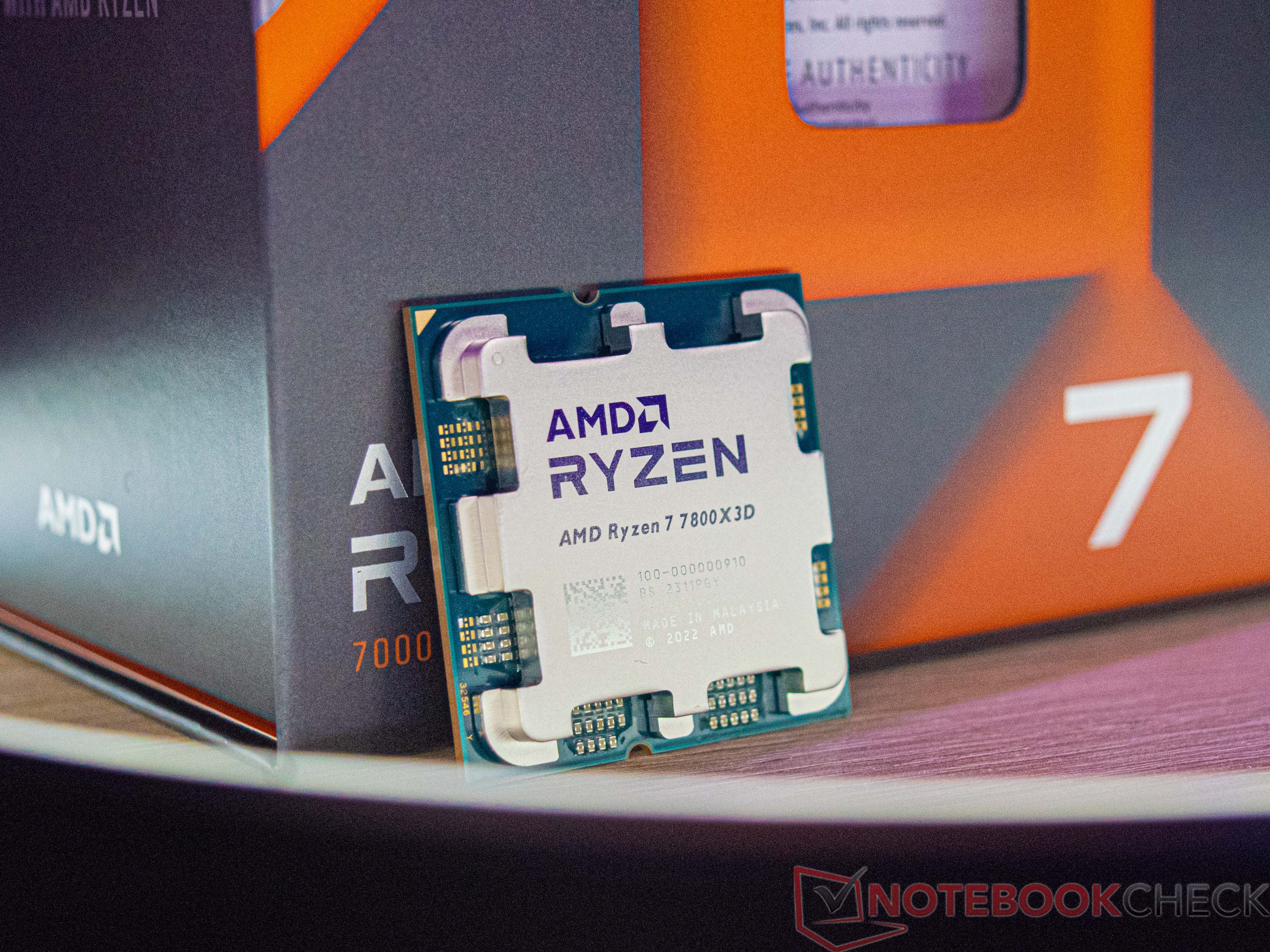
AMD's 3D V-Cache processors—the Ryzen 7 7800X3D and the Zen 5-based Ryzen 7 9800X3D—hold an undisputed crown among PC gamers. Beyond their extraordinary frame pacing and low memory latency, their greatest competitive advantage is electrical efficiency. While competing desktop flagship processors consume 250W to 300W under load, AMD's 8-core X3D chips achieve class-leading gaming performance within a surprisingly modest power envelope.
However, understanding the difference between marketed TDP, socket Package Power Tracking (PPT), and transient headroom is critical when sizing a balanced power supply.
1. TDP vs. PPT: What Does AM5 Actually Draw?
In the PC hardware industry, Thermal Design Power (TDP) is a thermal guideline for cooler manufacturers, not an electrical power measurement.
- Marketed TDP (120W): AMD rates both the 7800X3D and 9800X3D at a nominal 120W TDP.
- Package Power Tracking (PPT Limit): On the AM5 socket, the hard electrical ceiling enforced by motherboard VRMs is 1.35x TDP, meaning maximum electrical power draw (PPT) is capped at exactly 162W under heavy AVX-512 rendering workloads (such as Cinebench or video encoding).
- Real-World Gaming Load (65W–85W): During pure gaming scenarios, game engines rarely stress all 16 execution threads simultaneously. The 7800X3D routinely draws between 55W and 75W, while the higher-clocked 9800X3D averages 75W to 90W. This leaves immense electrical headroom for your graphics card.
2. The 9800X3D Thermal Shift: What Changed Under the Hood?
The architectural redesign of the Ryzen 7 9800X3D significantly altered its electrical characteristics:
- Inverted Cache Die Packaging: On the 7800X3D, the fragile 3D V-Cache SRAM was bonded directly on top of the compute cores, acting as an insulating blanket that limited operating voltages and clock speeds. On the 9800X3D, AMD placed the cache underneath the compute die. The hot silicon cores now make direct contact with the copper heat spreader, keeping temperatures 10°C cooler.
- Higher Sustained Multi-Core Clocks: Because thermals are superior, the 9800X3D sustains 5.2GHz+ all-core boosts, drawing closer to its full 120W–140W PPT ceiling when multitasking or streaming simultaneously.
3. Sizing the Total PC Around an X3D Chip
When planning your power supply around a Ryzen 7 7800X3D or 9800X3D build:
- Pairing with Mid-Tier GPUs (RTX 4070 / RTX 5070 / RX 7800 XT): Total continuous system power hovers around 350W to 420W. A **650W to 750W ATX 3.1 PSU** is the ideal sweet spot, operating precisely at the 50% optimal efficiency curve.
- Pairing with Enthusiast GPUs (RTX 4080 Super / RTX 5080): Total system power averages 480W to 550W. An **850W ATX 3.1 PSU** provides supreme efficiency and quiet fan acoustics.
- Pairing with Extreme Flagships (RTX 5090): Even though the CPU draws under 90W, the GPU's 500W+ requirement necessitates a **1000W ATX 3.1 PSU** to absorb combined transient excursions.
4. Calculate Your System Headroom
Want to check your exact configuration? Run your CPU, GPU, and peripheral presets through our interactive Transient Power & PSU Sizer to verify that your power supply delivers safe headroom and Whisper-quiet acoustics.
Motherboard VRM Transient Load Step-Responses
Modern AM5 motherboards feature digital Voltage Regulator Modules (VRMs) utilizing 12 to 16 power stages rated at 60A to 90A each. When the 9800X3D transitions abruptly from idle desktop sleep to an intense AVX-512 load burst, the VRM controller must supply dozens of amperes in nanoseconds.
- Vdroop and Load-Line Calibration (LLC): Setting aggressive LLC in BIOS can induce voltage overshoots that stress CPU silicon. We recommend standard Level 3 or Level 4 LLC on AM5 motherboards to maintain clean, ripple-free current delivery.
- Dedicated EPS 8-Pin Auxiliary Rails: Always connect dedicated 8-pin EPS cables from your power supply rather than daisy-chaining splitters, ensuring stable voltage regulation during sustained multi-threaded compilation or video rendering.